Advertise here via BSA
Keeping up with the latest design trends is a challenge. It’s always been that way. But these days, changes come more frequently. This is thanks to the rapid pace of digital design technological advancements.
If it weren’t for the tools that allow us to keep pace, it would probably be a hopeless situation. The problem is, you still have to find those tools. The fact that they’re constantly flooding the market doesn’t make it easy. Most web designers don’t have the time or inclination to test out every new tool that appears over the horizon.
We’ve found 15 we consider the tops in their respective classes, and we’d like to share our findings with you. One or two of these top tools and resources should help you keep pace. You can also deliver better products than you ever thought possible.
We’ll start with:
1. Elementor

Elementor is the industry’s best website builder. Simple, Powerful & Flexible. Now you can customize every detail without code. With over 2 million active installs and over 4,500 5-star reviews on WordPress, it is by far the most popular page editor out there. What Elementor does for you is to give you a solid website-building foundation on which you can create virtually anything, and do so without complications, limitations, or constraints thanks to its super-clean code.
Elementor works with any theme and with any plugin. As such it gives you virtually unlimited design flexibility. It won’t slow down your site – a characteristic of all too many page builders. And, it’s powerful drag and drop editor enables you to quickly create pages and websites without ever having to resort to code.
You can dig into Elementor’s library of super useful widgets to build pages from scratch, or if you prefer, start with one of the 100+ pre-designed Elementor templates.
You’ll find a few nice surprises as well; like the Pop Up Builder, the Advanced Forms feature, and Scroll and Hover animations.
In short, with Elementor you can create pages and websites easily and in ways you never could before.
2. AND CO from Fiverr
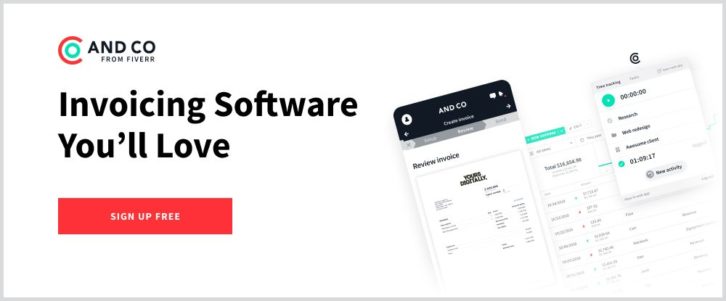
There are many software applications you can use for creating invoices, but few if any do as much of the work for you as AND CO from Fiverr. AND CO creates invoices for you automatically based on your project terms, contracts, and time tracking—all of which are available in the one app.
AND CO’s invoicing feature integrates perfectly with your project management workflow, enabling it to automatically create invoices when a project is completed or a milestone has been reached.
You’ll be alerted when clients view your invoices and when they’re paid, or when the system thinks it’s time for you to invoice again. Plus, you can set up an online ‘PayMe’ page to allow clients to pay you via credit card, ACH, and PayPal, and deposit the payments into your bank account. You can also set up recurring invoices so that clients who are on a subscription plan have their credit card charged automatically on a recurring basis.
AND CO is an invoicing software that lets you spend less time on invoicing and more time on doing the work you love.
3. Houzez
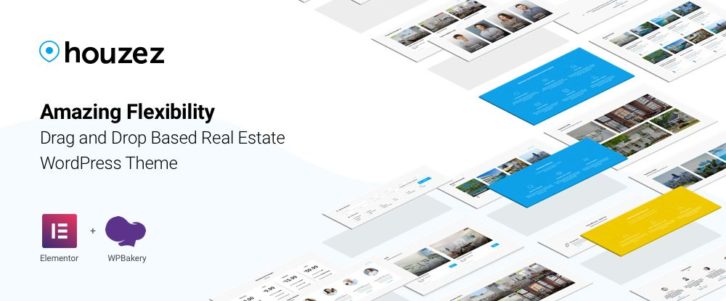
Its ease of use and wealth of popular features has made Houzez is a long-time favorite with realtors and real estate agencies. Features like listings options, advanced property search capabilities, and a property management system have given its users virtually anything and everything needed to go about their business.
Not quite ready to rest on their laurels, the Houzez team has added a host of new features making this specialty theme more powerful and flexible than ever. In addition to giving users the ability to display property listings in different formats, the listings can now be sorted and displayed in a variety of ways, and extra emphasis can be given to the presentation of featured listings.
Luxury home showings can also be scheduled, custom search fields can be added with the new Customs Fields Builder, different currencies can be used, and an Energy Class designation field has been added for EU properties.
4. TheGem – Creative Multi-Purpose High-Performance WordPress Theme
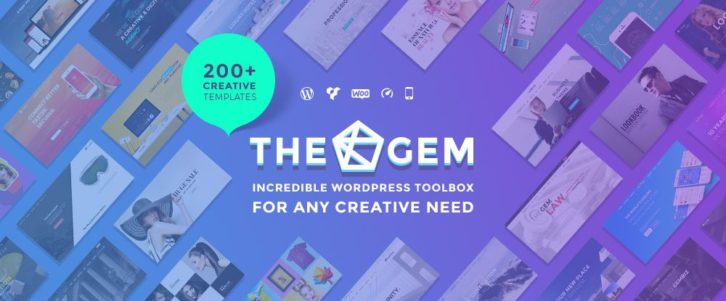
TheGem has been featured on ThemeForest for a variety of reasons. In the opinion of many of its customers, and of Envato, this incredible website-building toolbox features the most beautiful and creative designs on the market. Page load and speed times are especially impressive, TheGem is 100% flexible, 100% easy to use, and provides 100% customer satisfaction.
When compared against the other premium themes, TheGems 5-star rating tops them all.
5. Amelia

Amelia provides service businesses love; especially those that rely heavily on booking appointments for their clients and customers. Amelia automates the entire process. Customers can make appointments 24/7. Amelia will match the appointments
with employee availability, manage cancellations or changes, and collect payments online.
This award-winning tool with its 4.8+star user rating creates happier clients and customers and allows businesses to use the time saved on other pursuits.
6. Uncode
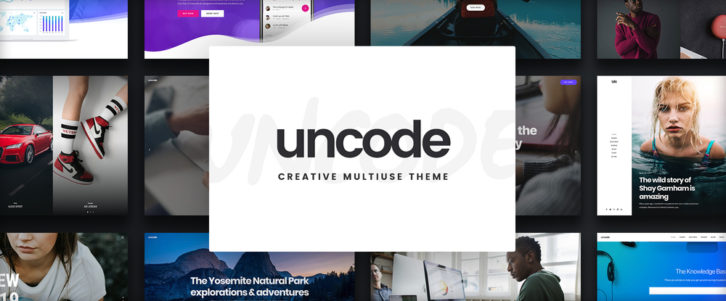
With Uncode in your design toolbox it will take but a few short hours to build a breathtaking portfolio. All the functionality you need is there, and there’s no need for coding. Uncode’s showcase of user-created sites gives visual proof of what you will be able to accomplish.
This powerful, user-friendly theme is one of ThemeForest’s all-time best sellers having realized more than 50,000 sales to date.
7. Round Icons Bundle – 38,000 icons and illustrations
Purchase the Roundicon’s Bundle, and you’ll never have to search for a special icons or illustration again. For a one-time fee you can download the entire bundle consisting of more than 38,000 premium, royalty-free icons and illustrations, and add more as they are released.
The bundle comes with a commercial use license, and you can currently purchase it at a discount when you use coupon code “GETBIG”.
8. Logic Hop – Personalized Marketing for WordPress
The ability to serve targeted content to different audiences will flat-out improve your sales and marketing results; and that’s precisely what Logic Hop will enable you to do. Logic Hop makes personalizing your messages possible based on display ad and pay-per-click results, social media posts, geolocation, and actions visitors take on your site.
Install Logic Hop, and don’t be surprised if you’re soon enjoying a 200% increase in conversions.
9. Mobirise
Mobirise is an offline builder, so you have total control over building your site. It’s drag and drop only, making it easy to use. Its mobile friendly and lightning-fast thanks to Google AMP or Bootstrap 4. And, it’s free.
Mobirise comes with a large assortment of trendy and beautiful website blocks, templates, icons, and fonts. Over 1.5 million sites have been created using this website builder.
10. wpDataTables

This premier table and chart building plugin is easily the best in its class. wpDataTables can do more, with more data, and do it quicker than any other tool of its type on the market.
wpDataTables’ all-in-one platform for presenting website visitors with interactive tables and charts based on huge volumes of complex data has been put into practice by more than 21,000 active users who have rewarded it with a 4.7 average rating.
11. Savah App
With this all-in-one advanced prototyping, team collaboration, and workflow tool at your fingertips you can create perfect look and feel prototypes for user testing, prototypes for feedback at any stage of the project, or combine rapid prototyping with Savah App’s built-in design workflow and approval system to speed your project along.
Savah App’s visual feedback and collaboration features also points you in the direction of getting the best possible results when the project winds down. Check out the paid plans and discounts.
12. HelpJet

Not only have you had to answer the same question for the zillionth time, but each time your customer has had to wait for your answer. HelpJet takes care of the problem by giving you a tool to create a knowledge base your customers can access for instant answers to the most common questions – or any question/answer you feel would be an appropriate addition.
You’ll gain more satisfied customers while keeping the size of your customer support team small.
13. Goodie

Goodie is a platform that connects an end-user with a web developer, thereby avoiding costly middlemen and go-betweens. All that’s required of you is to provide the Goodie team with your design. They’ll get right to work coding your website and give you the exact estimation of your price.
This is the perfect approach or owners of small businesses, web designers, and anyone in need of a carefully and cleanly coded website.
14. 8b Website Builder
The 8b Website Builder is brand new (January launch), futuristic with a super-simple cool UI, and portable. You can create websites with it on your desktop at work or home or on a tablet or phone while on the go.
Thanks to Bootstrap4 or Google Amp your site will be crazy-fast, mobile friendly, and just a click away from a Google listing. Since 8b does not have a paid plan in place yet, this is your opportunity to try it out free of charge.
15. WhatFontIs.com

Plowing through 550,000 fonts trying to find one you really want to use, but you don’t know what it’s called, is something you won’t want to do. With WhatFontIs, you can put AI to work for you. Just submit an image of your newly-discovered font and you’ll get an answer in seconds.
If it isn’t in the database (extremely unlikely), WhatFontIs will provide one or more candidates that are as close as possible to the real thing.
Conclusion
You most likely won’t need all 15 of these top tools and resources. Just one might make your day. With more, you could find yourself graduating from creating websites that are award-winners. You can create websites that are fantastic that “awesome” would be an understatement.
Or, you might simply be delighted to own a tool or resource that makes life a little easier for you.
Sponsors
Professional Web Icons for Your Websites and Applications

from WebAppersWebAppers http://bit.ly/2WnjVyk